
Full Disclosure: We hate BS as much as you do. This site exists to show you how crypto actually works in the real world. To keep the lights on, some links in our articles are affiliate links. If you use them, we may earn a small commission at zero extra cost to you. We only recommend platforms we personally use and trust with our own stablecoins.
The $2,000 Telegram Lesson
 A graphic designer in Lagos joins a Telegram group called "USDT Exchange Nigeria — Best Rates." The admin posts daily rates, always 2-3% cheaper than Binance. Other members vouch for the admin. Screenshots of successful trades flood the chat.
She starts small. Sends ₦50,000, receives $30 in USDT. Works perfectly. Two weeks later, she sends ₦1.5 million (~$2,000) for a larger trade. The admin confirms receipt, says "sending USDT now, network is slow." An hour passes. Then two. She messages again. Read receipts are on, but no reply. By evening, the admin has blocked her. The group? Still running. The earlier "vouchers"? Sock puppet accounts.
She lost $2,000 because the trade happened outside an escrow platform. No middleman held the USDT while she sent the naira. No dispute system existed. No customer support to contact. Just a Telegram group with a convincing track record — until it wasn't.
Variations of this play out daily across Telegram, WhatsApp, and Twitter DMs. The platform changes, the playbook doesn't.
A graphic designer in Lagos joins a Telegram group called "USDT Exchange Nigeria — Best Rates." The admin posts daily rates, always 2-3% cheaper than Binance. Other members vouch for the admin. Screenshots of successful trades flood the chat.
She starts small. Sends ₦50,000, receives $30 in USDT. Works perfectly. Two weeks later, she sends ₦1.5 million (~$2,000) for a larger trade. The admin confirms receipt, says "sending USDT now, network is slow." An hour passes. Then two. She messages again. Read receipts are on, but no reply. By evening, the admin has blocked her. The group? Still running. The earlier "vouchers"? Sock puppet accounts.
She lost $2,000 because the trade happened outside an escrow platform. No middleman held the USDT while she sent the naira. No dispute system existed. No customer support to contact. Just a Telegram group with a convincing track record — until it wasn't.
Variations of this play out daily across Telegram, WhatsApp, and Twitter DMs. The platform changes, the playbook doesn't.The 6 Most Common Stablecoin Scams
1. Fake Payment Screenshot (P2P)
The buyer opens a P2P trade on Binance or OKX. They send you a doctored screenshot showing a completed bank transfer. They pressure you: "I've already paid, please release the crypto." You check the screenshot — it looks real. But your actual bank balance hasn't changed.
How it works: Scammers use photo editing apps to fabricate transfer confirmations. Some even send real "pending" transfers that they reverse after you release the crypto. The safest approach: ignore screenshots entirely. Open your banking app and confirm the funds are fully settled before doing anything.
2. "Support Agent" Impersonation
You get a message on Telegram or WhatsApp from "Binance Support" or "OKX Help Desk." They say your account has a problem, or a trade is stuck, and they need your login credentials or 2FA code to fix it.
Reality: Binance and OKX do not operate support through Telegram, WhatsApp, or Twitter DMs. Their support lives inside the official app and website only. If someone messages you on social media claiming to be exchange support, it's a scam. Both platforms explicitly say support happens only through their official app and website — check their help pages if you're unsure.
3. Phishing Sites
You Google "Binance login" and click the first result. The page looks exactly like Binance — same colors, same layout, same logo. But the URL is "binanace.com" or "binance-login.net." You enter your email and password. Now the scammer has your credentials.
Protection: Bookmark the official URLs (binance.com, okx.com) and only access exchanges through those bookmarks. Never click exchange links from Google ads, emails, or social media posts. Both Binance and OKX offer anti-phishing codes — a word or phrase that appears in every legitimate email from them. If the code is missing, the email is fake.
4. SIM Swap Attack
A scammer calls your phone carrier, pretends to be you, and convinces them to transfer your phone number to a new SIM card. Once they have your number, they intercept SMS verification codes and drain your exchange account.
This is particularly common in Nigeria, the Philippines, and parts of Latin America where carrier security is weaker. The fix: never use SMS for 2FA. Use Google Authenticator or Authy instead. Your authenticator app lives on your phone's hardware — it can't be hijacked by porting your number.
5. Reversible Payment Scam (Chargeback)
The buyer pays you via a payment method that allows reversals — credit cards, PayPal, or certain bank transfers. You see the payment, release the USDT. Days later, the buyer files a chargeback with their bank or payment provider, claiming fraud. The bank reverses the payment. The buyer keeps both the money and the USDT.
Protection: On P2P platforms, only accept payment methods that are hard to reverse — direct bank transfers (wire), mobile money (MoMo, GCash), and PIX (in Brazil). Never accept PayPal on P2P. Ever. Credit cards are almost as bad. Any payment method with a "dispute" button is a loaded gun pointed at you.
6. "Below Market Rate" Trap
A seller offers USDT at 3-5% below the market rate. The deal seems too good to pass up. But here's why the rate is so low: the USDT was purchased with stolen credit cards, hacked accounts, or laundered money. When the fraud is traced, the stablecoins may be frozen — and you could be flagged for receiving stolen funds.
If a rate seems too good to be true, it is. Legitimate sellers price within 1-2% of the market rate.
All six of these work best off-escrow. Binance P2P, OKX P2P, and NoOnes hold the seller's crypto in escrow until your payment clears. Telegram groups, WhatsApp, and Twitter DMs don't — and that's where people lose money. If you need help finding where to buy in your country, we cover that separately.
Picking a Seller
Most P2P sellers are legit. Some will rob you blind. The difference is usually obvious if you bother to look.
Binance diamond and gold merchants have been verified through high-volume trading. OKX has a similar badge system. No badge doesn't automatically mean scammer — but it means nobody's vouched for them yet, and you shouldn't be the test case.
Forget the green flags. Learn the red ones: prices 3-5% below market (where's the money coming from?), pressure to move off-platform ("let's finish on Telegram"), new accounts offering large volumes (nobody starts P2P with $50,000 on day one), and anyone — anyone — asking for login credentials.
First trade with any seller: keep it small enough that losing it won't ruin your week.
When to Release (and When Not To)
This is where people actually get cleaned out. The gap between "buyer says they paid" and you hitting the release button is where every scam lives.
Open your banking app. Not your notifications — your actual app. Push notifications and SMS can be spoofed. Log in. Look at your real balance. Is the exact amount there? Does the status say "completed" — not "pending"?
A pending transfer can be reversed. Release crypto on a pending payment and you deserve what happens next.
Check whether the sender name matches the buyer's verified name on the exchange. Name mismatch = stolen payment method. Do not release.
Screenshot everything — bank balance, transaction confirmation, trade chat — before you hit release. When the dispute comes (and it will come eventually), the person with evidence wins. The person without it loses.
Buyers will beg. "I already paid, just release." "My bank confirmed it." "It's processing, bro." Ignore all of it. The only thing that matters is settled funds in your account. Everything else is noise.
Every payment method has its own way of lying to you:
- MoMo (Vietnam): SMS confirmations are spoofed constantly. Open the actual app, check your actual balance.
- GCash (Philippines): Same deal — verify in transaction history, not the text message that popped up.
- UPI (India): Check your bank account balance, not the UPI notification. They're trivially different things.
- PIX (Brazil): Instant and irreversible once completed — one of the safer methods, but still verify in the bank app.
- Bank transfer: International wires take 1-3 days. Do not release until the money has fully landed. "Processing" is not "received."
Locking Down Your Account and Wallet
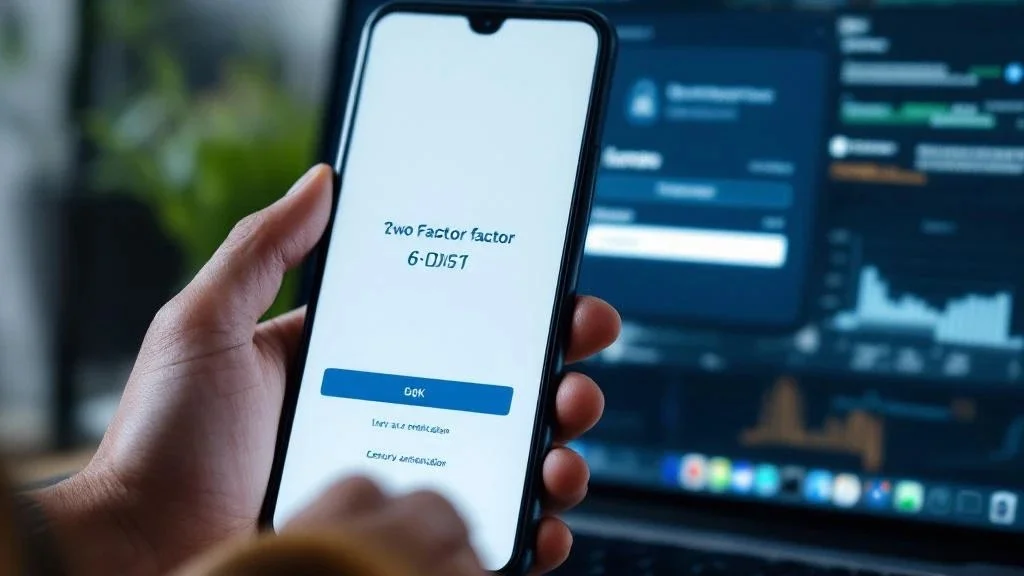 2FA: Google Authenticator, Authy, or Microsoft Authenticator. Not SMS. If someone SIM-swaps your number — and in Nigeria, the Philippines, and Latin America, they will try — they intercept every code. Authenticator apps live on your device hardware. No phone number, no hijack. Write down the backup key on paper when you set it up. Lose that key, lose access. That simple.
Password: If your exchange password is the same one you use for anything else, you're already compromised. Use a password manager. Bitwarden is free. No excuses.
Anti-phishing code: Binance and OKX let you set a custom phrase that appears in every legitimate email. Set it up right now. If an email shows up without your code, it's a scam. Delete it.
Bookmarks: Type binance.com and okx.com once. Bookmark them. Never click an exchange link from Google, email, or anyone's DMs. Scammers buy Google ads with URLs one character off. People fall for it every single day.
Hardware wallet: Anything over $1,000 sitting on an exchange is money you're lending to strangers. Move it to a Ledger or Trezor. Your keys, your coins. Their keys, their coins.
Clipboard malware: Malware that swaps the crypto address on your clipboard. You paste what you think is your address — it isn't. This one has cost people hundreds of thousands. Before every send, verify the first and last 6 characters of the pasted address against the original. For large amounts, send $1 first. Use address whitelisting on Binance/OKX to lock withdrawals to pre-approved addresses only.
2FA: Google Authenticator, Authy, or Microsoft Authenticator. Not SMS. If someone SIM-swaps your number — and in Nigeria, the Philippines, and Latin America, they will try — they intercept every code. Authenticator apps live on your device hardware. No phone number, no hijack. Write down the backup key on paper when you set it up. Lose that key, lose access. That simple.
Password: If your exchange password is the same one you use for anything else, you're already compromised. Use a password manager. Bitwarden is free. No excuses.
Anti-phishing code: Binance and OKX let you set a custom phrase that appears in every legitimate email. Set it up right now. If an email shows up without your code, it's a scam. Delete it.
Bookmarks: Type binance.com and okx.com once. Bookmark them. Never click an exchange link from Google, email, or anyone's DMs. Scammers buy Google ads with URLs one character off. People fall for it every single day.
Hardware wallet: Anything over $1,000 sitting on an exchange is money you're lending to strangers. Move it to a Ledger or Trezor. Your keys, your coins. Their keys, their coins.
Clipboard malware: Malware that swaps the crypto address on your clipboard. You paste what you think is your address — it isn't. This one has cost people hundreds of thousands. Before every send, verify the first and last 6 characters of the pasted address against the original. For large amounts, send $1 first. Use address whitelisting on Binance/OKX to lock withdrawals to pre-approved addresses only.When a Trade Goes Wrong
 If something feels off, don't release the crypto. Escrow only protects you while the funds are held.
On Binance P2P, click "Appeal" in the trade window. Upload bank transaction screenshots, payment confirmations, and chat screenshots. Don't negotiate outside the platform — scammers try to move the conversation to Telegram to "resolve it privately."
OKX has a similar arbitration system. Open an appeal, submit evidence, wait for review.
If the platform can't resolve it: file a police report (P2P fraud is criminal in many countries), keep all evidence with timestamps, and contact your bank — some fraud-related transfers can be reported.
Simple disputes usually resolve the same day. Chargebacks and identity mismatches drag on for days.
The people who get burned are the ones who skip the boring parts — escrow, screenshots, verification, patience. Every scam victim I've talked to says the same thing afterward: "I knew something felt off but I released anyway." Trust that instinct. The $200 you're trying to save on a trade is not worth the $2,000 you'll lose when it goes sideways.
For security tools like Revoke.cash (token approval checker) and address screening, see our tools page. For buying guides and cost comparisons by country, we cover those separately.
If something feels off, don't release the crypto. Escrow only protects you while the funds are held.
On Binance P2P, click "Appeal" in the trade window. Upload bank transaction screenshots, payment confirmations, and chat screenshots. Don't negotiate outside the platform — scammers try to move the conversation to Telegram to "resolve it privately."
OKX has a similar arbitration system. Open an appeal, submit evidence, wait for review.
If the platform can't resolve it: file a police report (P2P fraud is criminal in many countries), keep all evidence with timestamps, and contact your bank — some fraud-related transfers can be reported.
Simple disputes usually resolve the same day. Chargebacks and identity mismatches drag on for days.
The people who get burned are the ones who skip the boring parts — escrow, screenshots, verification, patience. Every scam victim I've talked to says the same thing afterward: "I knew something felt off but I released anyway." Trust that instinct. The $200 you're trying to save on a trade is not worth the $2,000 you'll lose when it goes sideways.
For security tools like Revoke.cash (token approval checker) and address screening, see our tools page. For buying guides and cost comparisons by country, we cover those separately.This content is for informational purposes only and does not constitute financial advice. Always do your own research before making investment decisions.

Mark Snowden
Former TradFi analyst turned full-time stablecoin researcher. We only recommend platforms we personally use.
Ready to get started?
Check our complete guide to buying stablecoins: real costs, real platforms, no fluff.